Using xcfilelist in Xcode's Build Phase Run Script
Tidying up the ballooning Input Files list you get with Carthage, using the Input File Lists (xcfilelist) added in Xcode 10.
- Published
- Updated
This article is also published elsewhere. https://qiita.com/iganin/items/a1add30465542c4466fe
Originally written in Japanese. This is a translation of the same piece.
Note
This only works with Carthage v0.31.1 and later.
Introduction
When you manage libraries with Carthage, you have to add a Run Script like this to your Build Phases:
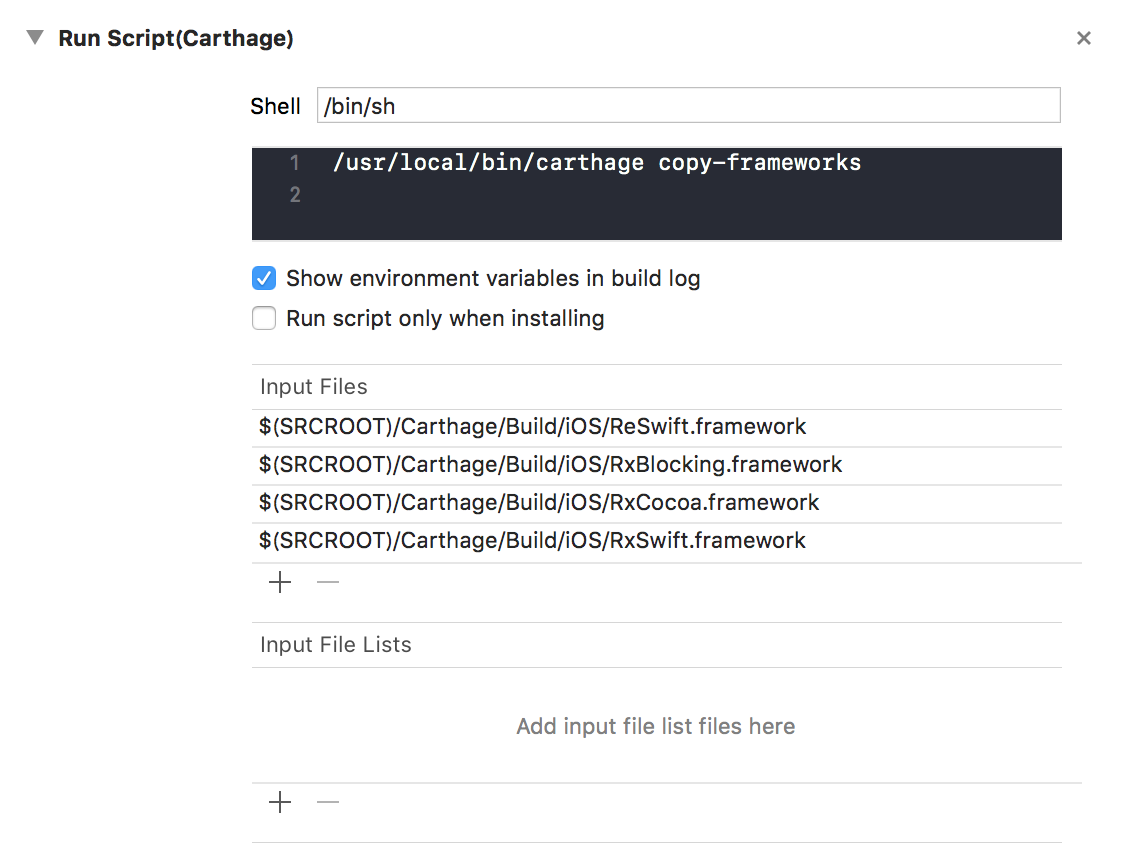
Taking Carthage as the example, you had to list the paths to the build products of the libraries you brought in under Input Files — and as the number of libraries grows, problems appear:
- It is simply tedious to write out
- Omissions are hard to notice, and so are duplicates
- It is hard to organise into meaningful groups (networking libraries, alphabetical order, and so on)
Xcode 10 improved this area, so here is a write-up.
Environment
- macOS High Sierra Version 10.13.6
- Xcode Version 10.0.0
What changed
If you look closely at the image above, you will notice an unfamiliar Input File Lists field alongside Input Files. As of Xcode 10, you can treat an xcfilelist — not just a file — as an input or an output. Here is how to do it.
How to do it
Adding an xcfilelist
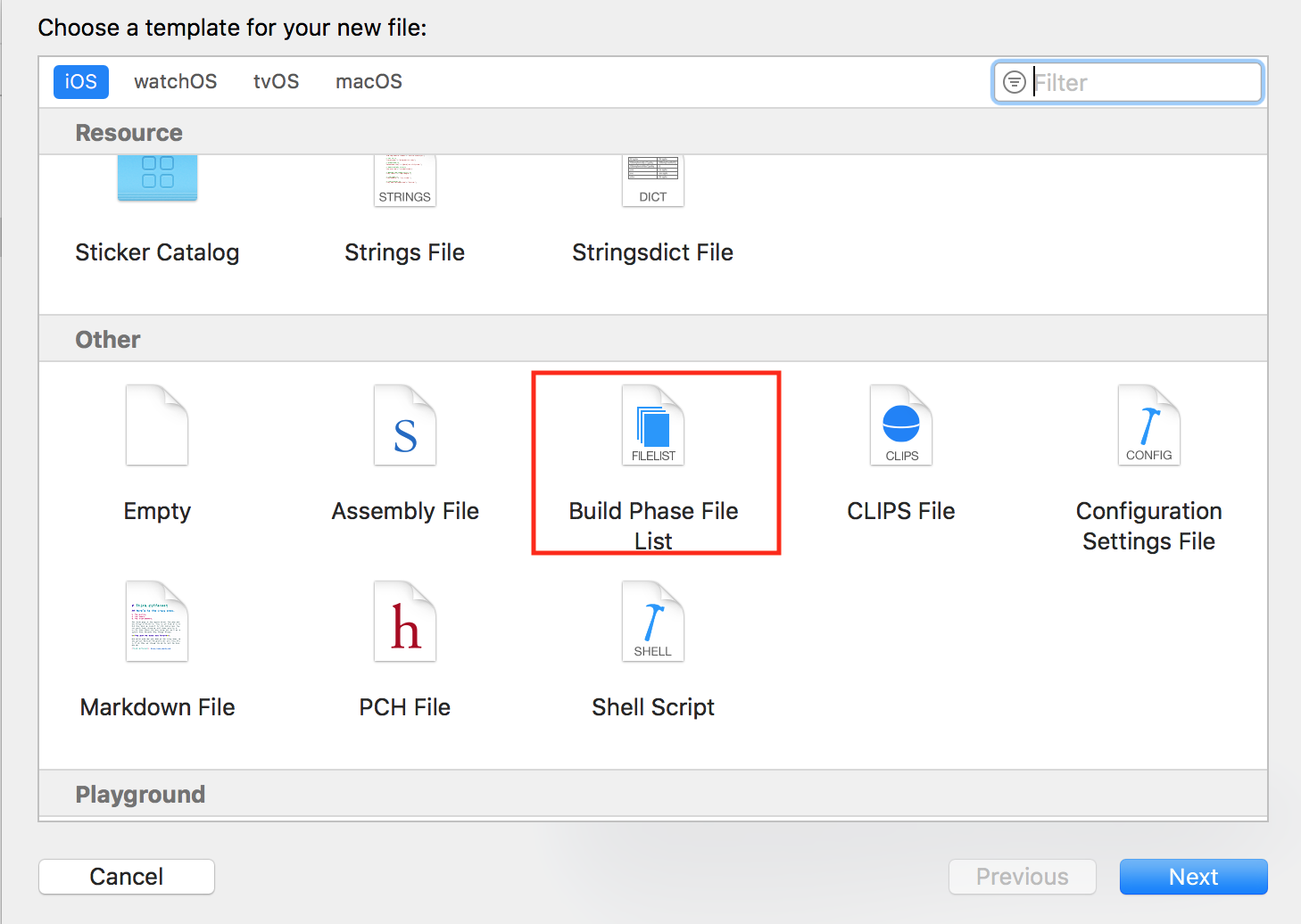
Going to File > New > File in Xcode brings up the familiar file-type picker. Scroll down and you will find Build Phase File List under Other. Selecting that adds an xcfilelist.
A freshly created file looks like this:
#  CartfileTargets.xcfilelist
#  ReduxSample
#
#  Created on 2018/09/20.
#  Copyright © 2018年 iganin. All rights reserved.

# This file may be set as an input or output file list for a shell script build phase.
# List file paths below; one per line. These paths will be considered inputs or outputs for the script phase.
# Build settings will be expanded, e.g. $(SRCROOT)/fileName
Add the resource paths from the earlier image here. The file accepts comments and blank lines, so you can break it into meaningful groups.
#  CartfileTargets.xcfilelist
#  ReduxSample
#
#  Created on 2018/09/20.
#  Copyright © 2018年 iganin. All rights reserved.

# ReSwift
$(SRCROOT)/Carthage/Build/iOS/ReSwift.framework

# Reactive Libraries
$(SRCROOT)/Carthage/Build/iOS/RxBlocking.framework
$(SRCROOT)/Carthage/Build/iOS/RxCocoa.framework
$(SRCROOT)/Carthage/Build/iOS/RxSwift.framework
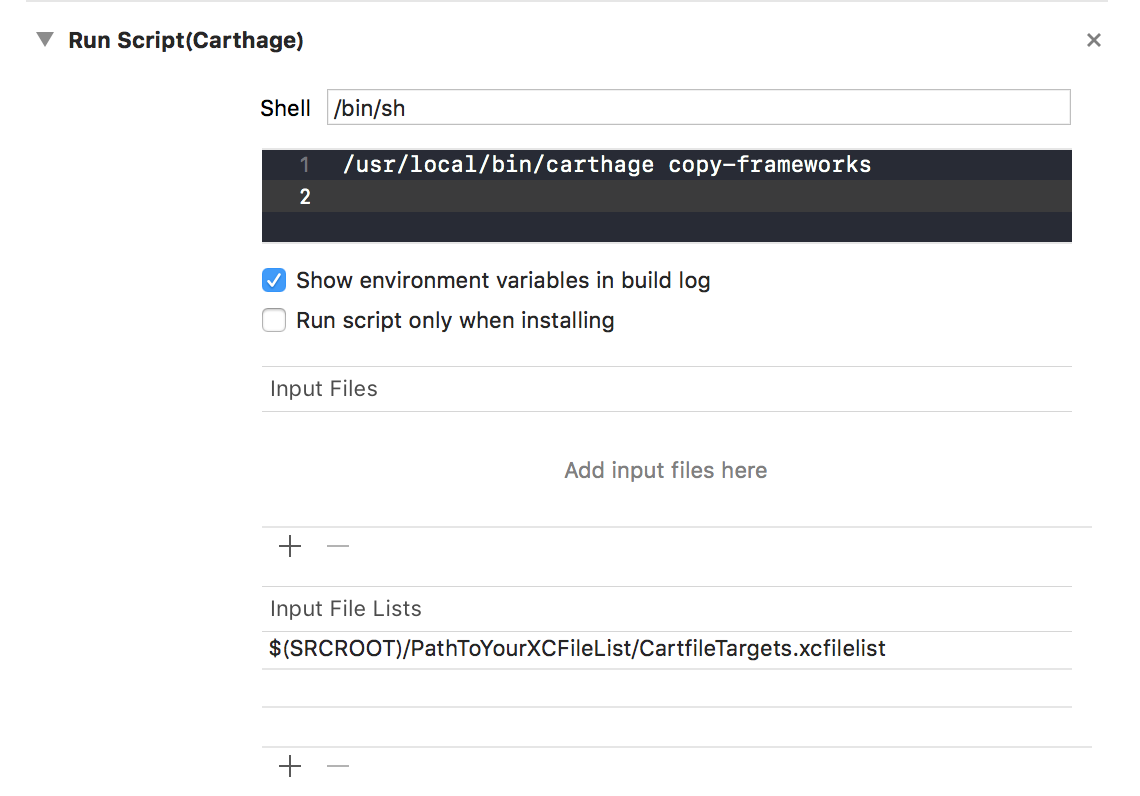
Finally, add the xcfilelist you created to Input Files. It is the same library copy-frameworks Run Script as before, but a great deal tidier.
Thoughts
I see the following benefits:
- Omissions and duplicate entries are easier to spot
- You can break the file into meaningful groups
- You can split it into separate files altogether — for tests, in-house libraries, third-party libraries
- Where several schemes (Enterprise, Product, and so on) load the same libraries, it saves a lot of duplicated effort
I explained this using Carthage’s copy-frameworks, but it works the same way in other Run Script phases. Going forward, listing files in an xcfilelist and adding the xcfilelist looks like the better approach than adding each file individually.
Addendum (21 September)
Running it locally caused no problems, so I concluded it worked — but after deleting DerivedData I got a dyld error and a runtime failure. The approach above is very likely not going to work. If you know of a solution, I would be grateful if you shared it.
As it turns out, Carthage did not support xcfilelist yet, so the approach above simply was not usable at the time. Apologies for jumping the gun 🙇🏻♂️ Once Carthage supports it, switching to the above looks like the way to go.
Addendum (15 October)
@k_katsumi took care of it, and xcfilelist is supported as of Carthage 0.31.1. (Thank you!) Here is the relevant release note:
References
- WWDC - Building Faster in Xcode
- What this article covers is discussed from around the 13-minute mark