A chat-like screen in SwiftUI that also handles having only a few items
How to satisfy both of the things a chat screen is expected to do in SwiftUI — the newest item stacking at the bottom, and items sitting at the top when there are only a few.
- Published
This article is also published elsewhere. https://iganin.hatenablog.com/entry/2022/12/21/231718
Originally written in Japanese. This is a translation of the same piece.
Environment
- Xcode 14.0
- iOS 16.0.2
The requirements
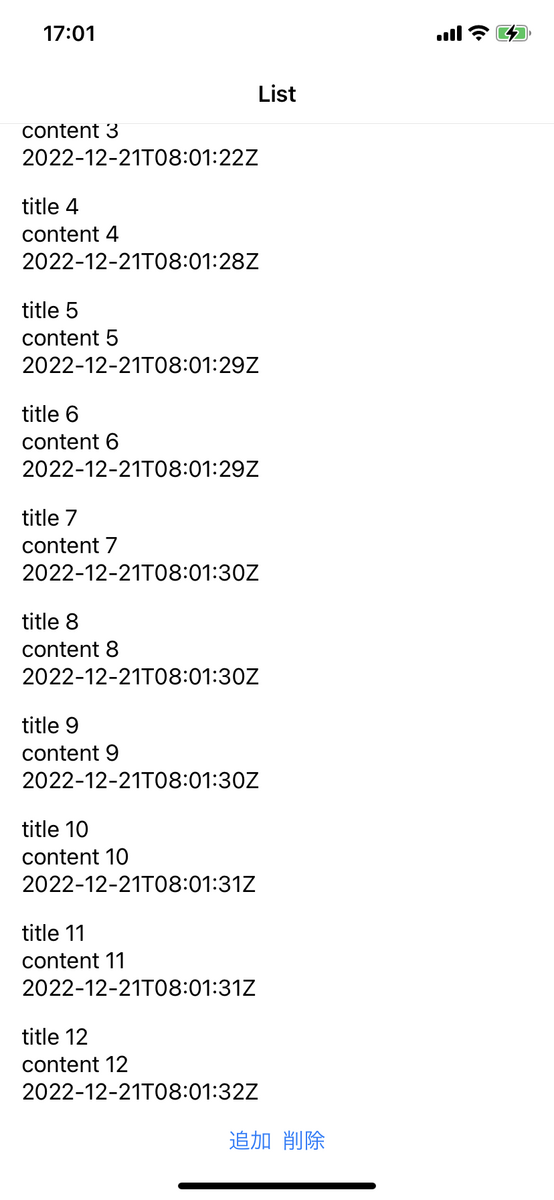
In a typical chat UI, the newest items are added at the bottom of the screen, and on first display the screen is anchored to the very bottom. That is the mainstream requirement, I think.
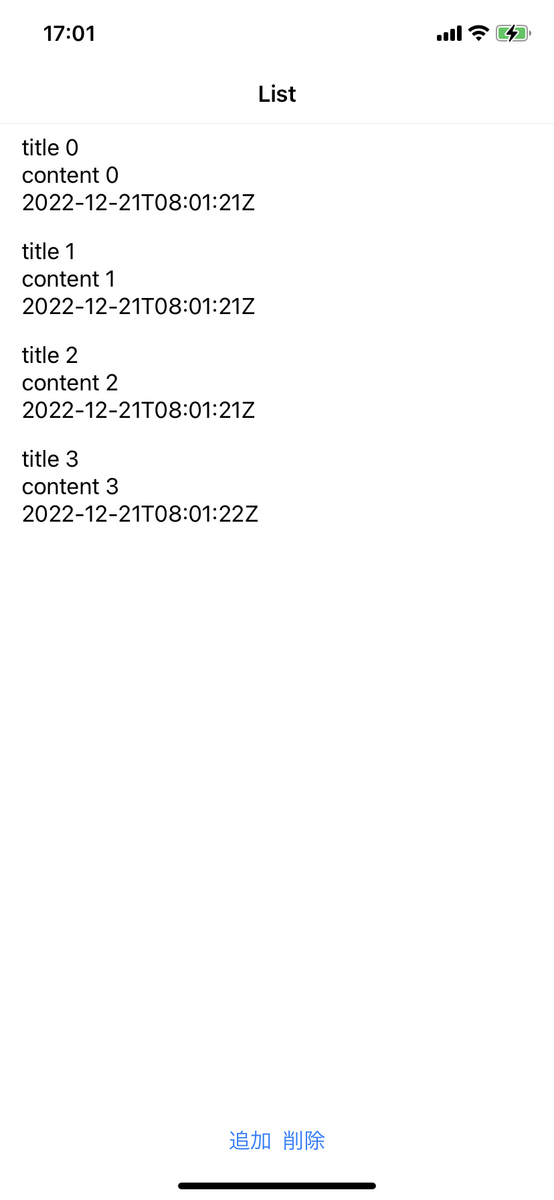
At the same time, when there are only a few items and they do not fill the screen, showing them packed towards the top — like this — is surely the common requirement.
So the requirements a typical chat screen is expected to meet are:
- Requirement 1: the newest data is added at the bottom of the screen, with older data towards the top.
- Requirement 2: when there are only a few items, they are packed towards the top of the screen.
An implementation that satisfies requirement 1
Let us think about how to satisfy requirement 1.
Using ScrollView or List as-is makes this hard to achieve, given how scrolling and display work, so it
needs some ingenuity. There are various ways to do it, but the common implementation is probably to flip the
ScrollView or List and then flip the contents back to keep them consistent.
struct SampleScreen: View {
    @State private var list: [Sample] = []

    var body: some View {
        List {
            Group {
                ForEach(list) { sample in
                    cell(sample: sample)
                }
            }
            .rotation3DEffect(.degrees(180), axis: (x: 1, y: 0, z: 0))
        }
        .rotation3DEffect(.degrees(180), axis: (x: 1, y: 0, z: 0))
    }
}
The problem
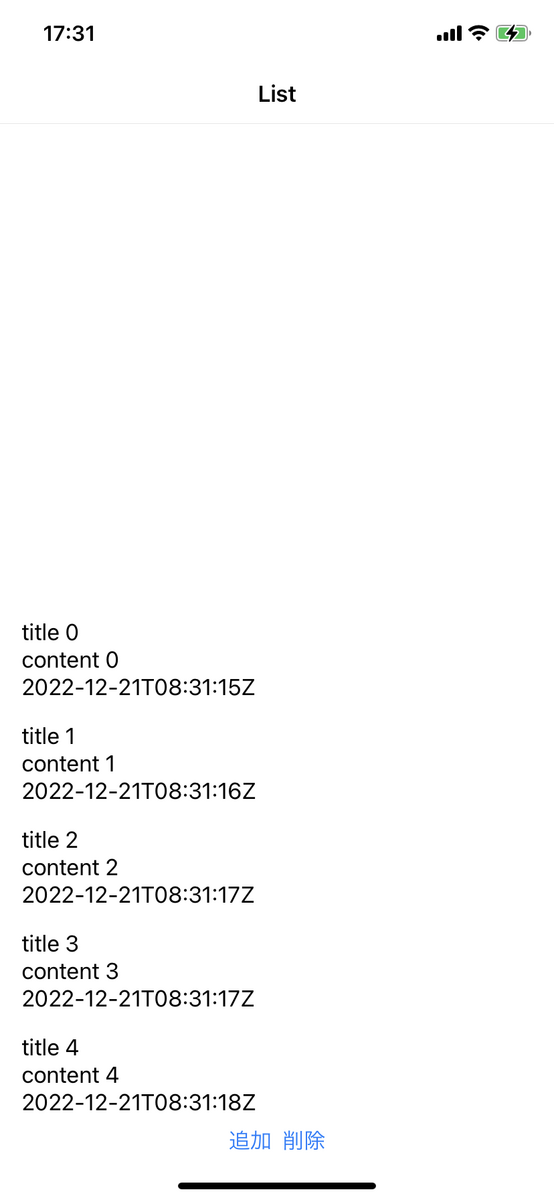
The implementation above satisfies requirement 1, but it does not actually satisfy requirement 2. Because
the List is rotated 180 degrees, items gravitate to the bottom of the screen — so with only a few items,
they sit at the bottom.
The solution
As shown, flipping the view satisfies requirement 1 but not requirement 2. What follows is a little tricky, but it is a method I found recently and want to share.
The idea is:
- Fill the bottom of the scroll area with a
Spaceror similar - To do that, measure the height of the scroll area’s contents and feed it back in
Let us look at the actual implementation.
Implementing the solution
Here is what it looks like. Inside the ScrollView there is a Spacer whose job is to push the inner
elements to the top. The Spacer’s height plus the height of the other elements in the ScrollView needs
to exceed the height of the whole screen.
Getting the height of those other elements is not straightforward as-is, so this uses a PreferenceKey
along with a height defined via @State to communicate it to the Spacer. This implementation satisfies
requirement 2 as well, giving you a chat-like screen that meets both requirements.
struct HeightKey: PreferenceKey {
    typealias Value = CGFloat
    static var defaultValue: CGFloat = 0

    static func reduce(value: inout CGFloat, nextValue: () -> CGFloat) {
        value += nextValue()
    }
}

struct SampleView: View {
    @State private var list: [Sample] = []
    @State var height: CGFloat = 0

    var body: some View {
        GeometryReader { scrollViewProxy in
            ScrollView {
                // Reserve space at the bottom so items are packed to the top when there are only a few.
                // When the other elements fill the screen it is unnecessary, so the height becomes 0.
                Spacer()
                    .frame(height: max(scrollViewProxy.size.height - height, 0))
                LazyVStack(alignment: .leading, spacing: 0) {
                    ForEach(viewModel.list) { sample in
                        cell(sample: sample)
                            .rotation3DEffect(.degrees(180), axis: (x: 1, y: 0, z: 0))
                    }
                }
                .overlay {
                    GeometryReader { contentsProxy in
                        // Communicate the content height using a PreferenceKey
                        Color.clear.preference(
                            key: HeightKey.self,
                            value: contentsProxy.size.height
                        )
                    }
                }
            }
            .rotation3DEffect(.degrees(180), axis: (x: 1, y: 0, z: 0))
            .onPreferenceChange(HeightKey.self) { newHeight in
                // Detect changes to the content height, pass them to the height held
                // in @State, and reflect them in the view
                height = newHeight
            }
        }
    }
}
Closing
I have written up the implementation shown here and uploaded it as a Gist, so if you are interested, give it a run locally.
A sample of a chat-like layout in SwiftUI - Gist
I arrived at this implementation thanks to the help of @tobi462 and @_natpenguin. My thanks to them both.